
Notifications & reminders
Sessions move, get cancelled, and start on time — and nobody should have to check a calendar to find out. My NFC Attendance collects what matters into one inbox and can also alert you the moment it shows up.
One inbox for everything
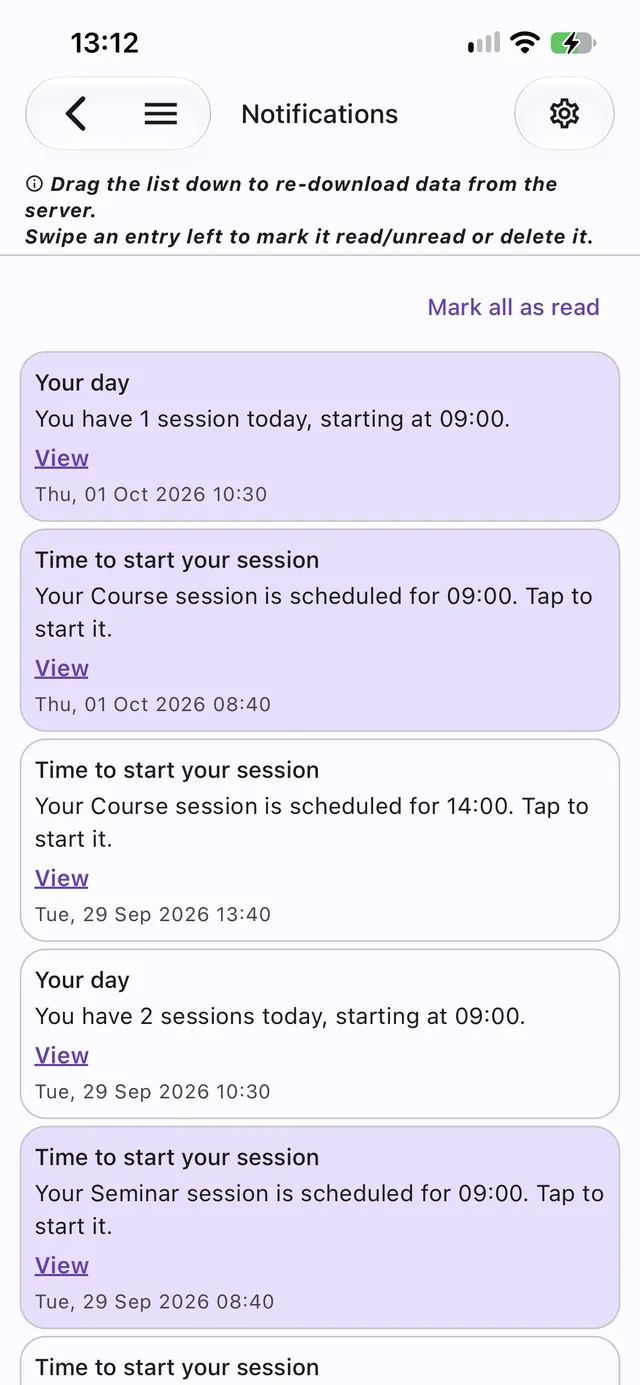
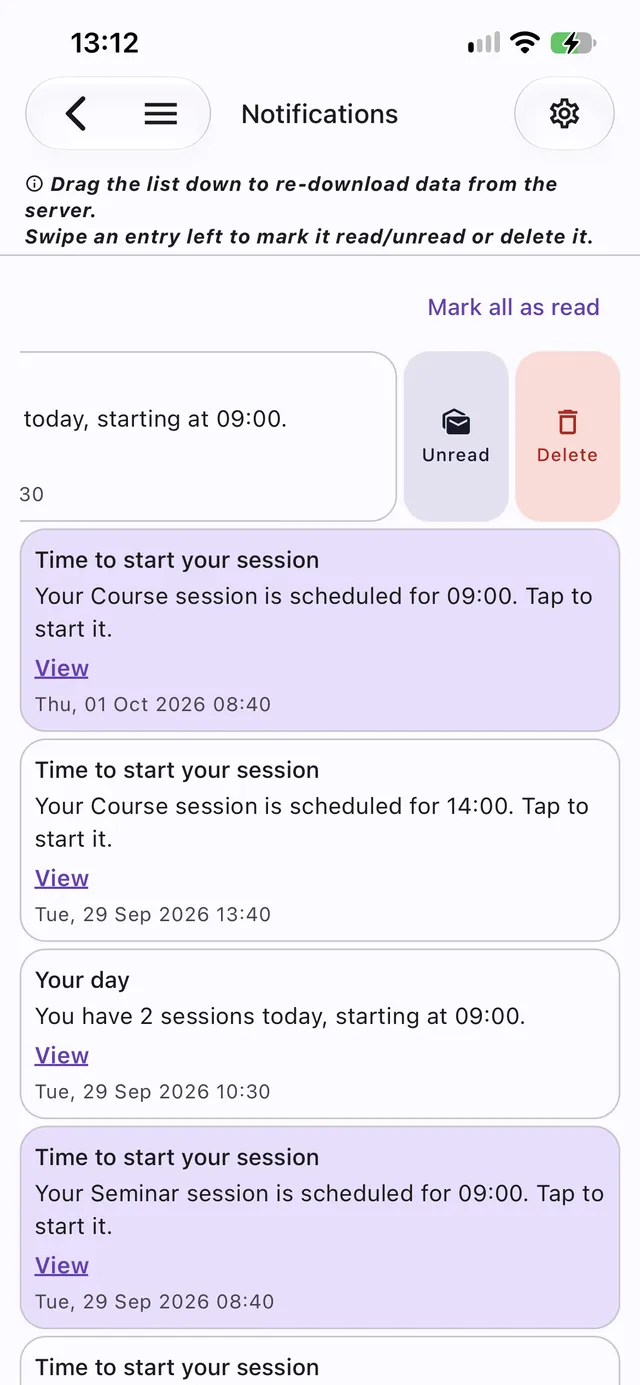
Every notification lands in an in-app inbox with an unread badge. Swipe an entry to mark it read or unread or to delete it, mark everything as read in one go, or tap View to jump straight to what it’s about.
Your day, every morning
Switch on the daily agenda and, at a time you choose, the app tells you how many sessions you have that day (or, for students, how many classes) and when the first one starts. Available in the iOS and Android apps.
“Time to start your session”
Teachers can get a reminder before a scheduled session is due, and students a heads-up that it’s about to begin, worked out from the same calendar. In the mobile app you choose how early: anywhere from 5 minutes to an hour before.
Cancellations and reschedules
When a session is cancelled or moved, students who have session reminders switched on are told the new date and time — no group chat needed.
Announcements
Administrators can broadcast a message — such as a new app version — to everyone, or only to teachers or students, and to a specific platform.
Phone and desktop alerts
On iOS and Android the app shows notifications on your device; in the web app the browser can show desktop notifications once you allow them. In Settings you choose which kinds you want: announcements are on by default, while session reminders and the daily agenda are opt-in.